

Web Development Tools for Mozilla Firefox
Published on March 2, 2006 in Design, FirefoxThe Rapid Web Development and Testing with Firefox presentation has been updated to account for two news extensions: the Firebug extension and the CSSViewer extension.
The Firebug extension helps in debugging AJAX, DHTML, and JavaScript web applications. It will display errors that occur during the rendering of a page, will place the pointer on the appropriate line, and allows for the inspection of different values of the DOM. The CSSViewer extension inspects elements on a page to give a complete rundown of the CSS declaration for a chosen element. While both of these extensions are very new, after the Web Developer extension these two extensions are some of the most valuable tools a developer can have in their toolbox.
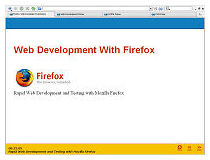
Note: The location of the presentation has changed.


Really like your slide view of the text. How did you covert your text into slides like that? Really neat.
Eugene,
I used a xhtml and css layout called S5 (http://www.meyerweb.com/eric/tools/s5/) created by Eric Myer.
Really great presentation. Thank you.
Only note:
Link at the 7-th slide to the developers section of Mozilla extensions is broken:
“Look under the developer tools submenu to find additional web developer extensions.”
Correct link is
https://addons.mozilla.org/search.php?cat=4&app=firefox&appfilter=firefox&type=E